Waypoint NZ Production 02: Finding the tools & first steps
Now that I’ve established my user problem and some core branding elements, I can finally focus on the practical and the most fun part of my project - actually building it! But the key question is how? In the modern web, there are many avenues to choose from in order to create and launch a website. one could always go the old-school method and hard-code it from scratch in an IDE (Integrated Development Environment, aka. a coding program), or choose from one of the many website builders that are available which are suitable for designers of all skill levels and functional purposes. After considering various options, I’m going to break it down to three possible options, with pros and cons for each.

Build from scratch
This would be done in an application called Visual Studio Code (logo shown), which is a highly popular, intuitive, and industry-standard IDE.
Pros
100% flexibility over web design and development (100% open-source)
Easily implement custom features directly into the site
Great development exercise
Cons
Starting 100% from scratch means a much longer project lead time, as the entire structure for the website would need to be built in HTML, followed by CSS styles, media queries for responsive design, and JavaScript for any custom website features and/or security
Website hosting would have to be independently sourced and maintained
Much more difficult and labour-intensive than using a builder, with minimal gains (dependent on project)

Website builder (high-level/closed eco-system)
This particular portfolio website is made in Squarespace, which for its use-case, is highly intuitive and accessible to use. With a variety of user-friendly features, Squarespace streamlines the web design and development process.
Pros
A variety of accessible features that aims to guide novice designers; an intuitive drag-and-drop interface, colour and theme presets (optional), webpage templates, etc. Makes it simpler to launch a website in reduced time
Hosting and domain names are covered in Squarespace’s subscription plan, meaning that the user doesn’t need to source it independently. Build and launch from one place
Secure. As your website is protected by Squarespace, you don’t have to worry about security vulnerabilities
Cons
Closed-source environment. There is limited customisability with high-level builders, if the scope of the project goes beyond that of some specific use-cases (portfolio, a simple business page or storefront) the designer will run into problems very quickly
Expensive. Entry-level fees are acceptable, but beyond the first year, the price for site maintenance and hosting goes up dramatically.
Lack of true ownership. The website is tied to Squarespace’s platform - if their services goes down, or if the designer wants to expand or migrate their site, the designer has no valid options

Content Management System (CMS)
Specifically WordPress, which includes a website builder offering complete control over design and development.
WordPress currently powers 43.5% of all websites on the internet, serving as a foundation for large array of use-cases
and clients.
Pros
100% open-source and maintained by its community, giving greater flexibility for designers and developers in how they want to engage with it - not tied to a selection of predefined frameworks
60,000 plug-ins available, making it possible to implement most features imaginable with some tweaking, and when there is no such plug-in, it’s a straightforward process to import custom functionalities - able to edit core HTML and CSS files
Complete ownership and control over the website, with room for scalability in accordance to the needs of the brand. You can move your website files to other hosting providers at any time
Cons
Steeper learning curve. Requires more familiarisation of the underlying code and web design practice in order to create a compelling product
Has access to a drag-and-drop interface, but it is clunky and rudimentary compared to Squarespace. Whilst the designer has complete control over appearance, the lack of in-built frameworks means that its easier to end up with a badly designed website
WordPress site builder is free, but still have to find a hosting solution separately. Thankfully, there are some recommended options that speeds up the process obtaining this
Shorter development time than a hard-coded solution, but longer than a high-level builder
Having thoroughly researched the available options, of which there are many more that aren’t listed, I decided that the best course of action for the scope of my project would be to build it in WordPress. Despite its initially difficult learning curve, the possibilities with WordPress are far greater in terms of being able to have complete control over my website, whilst still using a visually based design system, and bypassing a lot of the difficulties involved with writing a dedicated code base from scratch. Being part of a large yet flexible platform, as well as leveraging the different plug-ins that are available for the platform is a great resource, and having total ownership over my data and where it is hosted helps to to ensure flexibility and the possibility of scaling up in the future.
A showcase of just some notable websites that run on WordPress. See more here
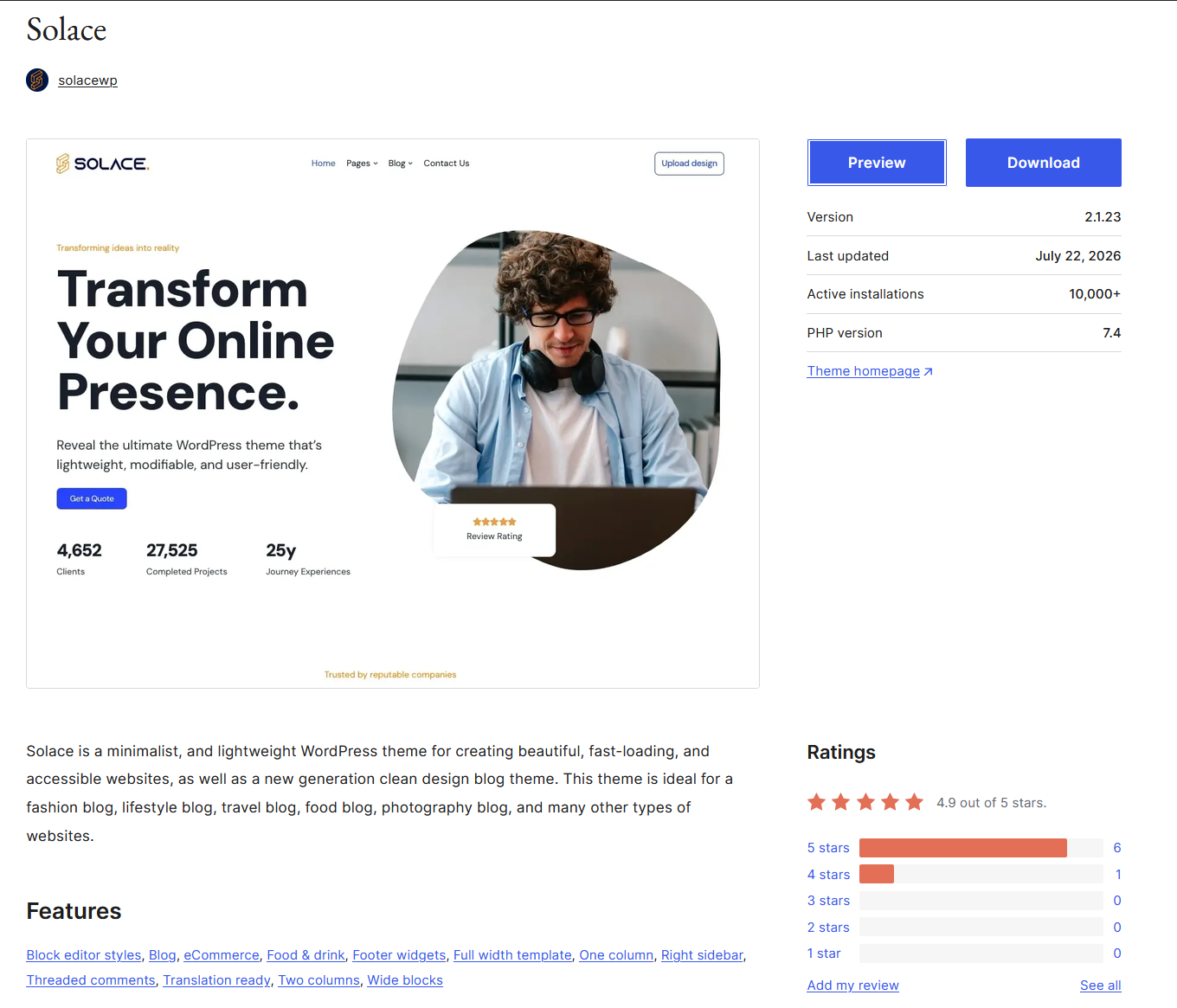
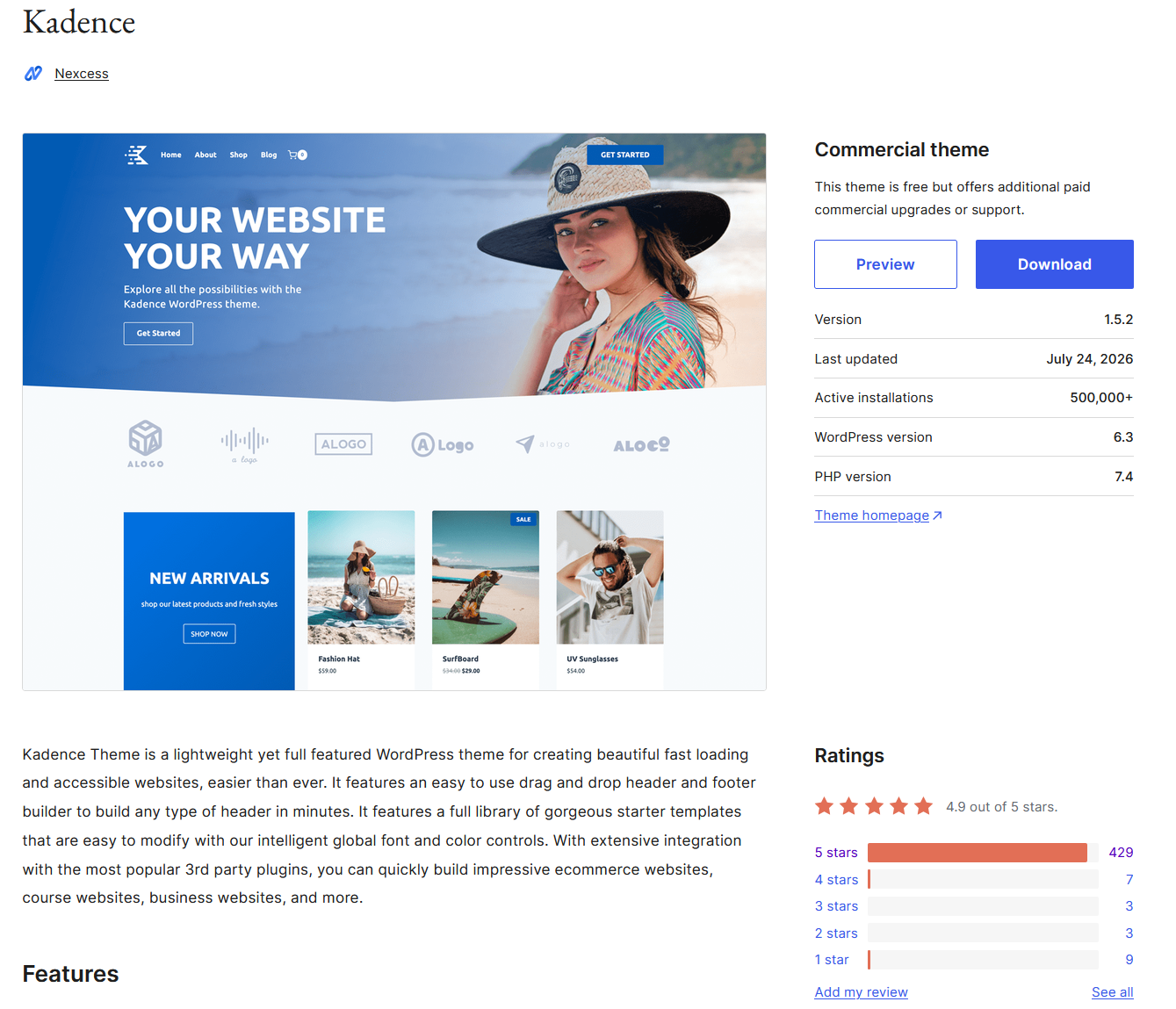
Having chosen my platform, I needed to find a base theme to build upon. WordPress plays host to a large variety of themes with different artistic options, but many of them are suited for specific purposes and unable to be deeply customised. I needed to choose a lightweight and malleable theme, with intuitive developer controls so that I can shape my website to my liking. It was also important for the theme to be responsive for users, as there are a lot of bloated WordPress themes out there, which affects visitors in having a seamless user experience. At first I tried out Solace since it had a clean and aesthetically pleasing base design, but quickly discovered that I was having difficulties with its controls and importing my own elements to it, so I decided to pivot towards something more simple and build my design from there. I then pivoted Kadence, which so far, has been easier to customise and has a much larger install-base and developer support.
WordPress is free to use, but any website that’s created with the intention of being published still needs to be hosted on the internet. WordPress allows for two options in addressing this; the designer can either handle hosting and domains on their own, which is more intensive to get started but has the possibility of being a cheaper overall solution, or they can use the WordPress tools within the framework of a third party hosting provider. I explored both options, but opted to go with a hosting provider in order to streamline the process. I ultimately chose Hostinger, as it has a globally positive reception from its clients, is competitively priced on a moderate monthly subscription, and includes one free domain name (for one year).
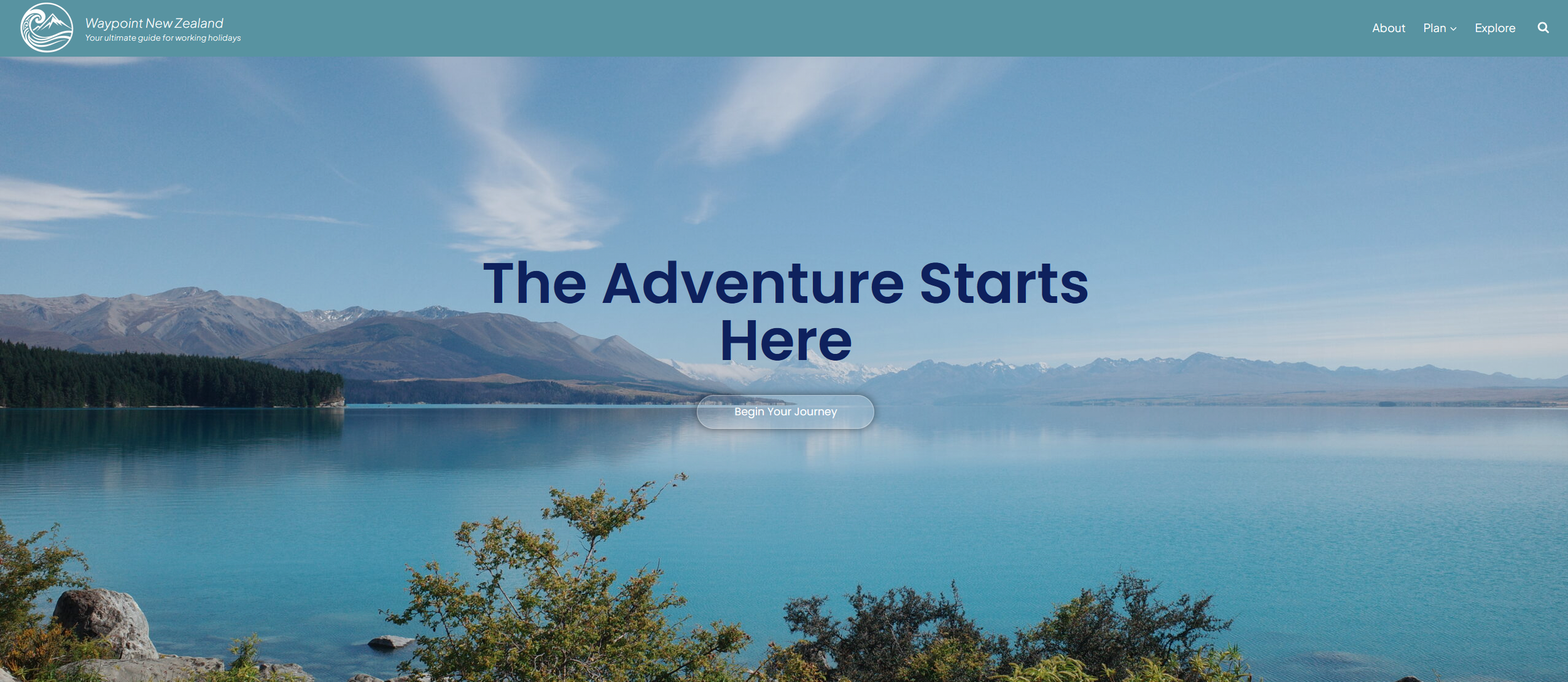
From here, I was finally ready to get on the tools and start learning how to use my respective platform and themes. I find WordPress to be far more clunky than Squarespace, and the dashboard tends to glitch out here and there. As expected, it was a trickier process to get started, but I focused on mapping out the home page and the site header. This is my first draft of it thus far, and my next post will focus on the actual production process of building the website.